Texaco
- 4.7
- Rating
- 100.00K
- Installs
- Free
- Price

 Analysis by App-foxy
Paying for fuel without leaving the driver’s seat is the central idea behind Texaco, a free Auto & Vehicles app from Chevron U.S.A. Inc. I found its appeal easy to understand: when I am already parked at a Texaco station, the useful part is not browsing or entertainment, but reducing the small amount of effort between arriving at the pump and getting back on the road. That narrow purpose is also the key to judging it fairly. It is not an all-purpose travel companion, and it does not need to be. Its lasting value depends on whether paying from the car becomes a habit rather than a feature I try once and forget.
The app has been available since May 15, 2019, and its store presence is aimed at everyone rather than a specialist driving audience. It has a 4.7 average from around 3,500 ratings, with more than 400 written reviews and over 100,000 installs. Those figures suggest that the simple payment-focused approach has found a real audience, although they do not change the practical question I would ask before installing it: do I regularly buy fuel at Texaco stations, and would avoiding a trip inside the shop make a meaningful difference to my routine?
What the first week feels like
During the first week, the strongest impression is convenience. A fuel stop normally has several small interruptions: finding a parking position, walking toward the payment terminal, waiting in line if the shop is busy, returning to the vehicle, and then completing the purchase. By putting the payment action on the phone, the app is designed to remove at least part of that sequence. I especially appreciate the idea on rushed mornings, during bad weather, or when I have a child or pet in the car and would rather not leave the vehicle unattended.
You May Also Like

 Google Keep - Notes and lists
Google Keep’s Quiet Growth Shows the Appeal of Simpler Notes
As mobile work gets busier, Google Keep keeps winning a simple contest: capture a thought quickly, find it later, and get on with the day.

 Blood Strike: 2.5 Anniversary
Blood Strike’s Loadouts Turn Every Drop Into a Tactical Gamble
A close look at Blood Strike’s custom loadouts: how fast access to signature weapons reshapes its battle royale rhythm, rewards preparation, and narrows the gap between fights.

 Pandora - Music & Podcasts
Pandora’s Music Is Easy to Start, but Harder to Recover
Pandora’s strength is its low-effort path from a seed to a station. Its weak spot is how much confidence it asks you to place in connection, setup, and quiet recovery.

 8 Ball Pool
 Is Built on Rivalries, Rematches, and Routine
A close look at the rivalries, rematches, shared routines, and unanswered safety questions that turn a quick pool match into a persistent mobile community.

 Samsung Music
’s Quiet Strength Is Playing What You Already Own
Its reach comes less from spectacle than from dependable access to a personal library. That simplicity is both the app’s strongest retention engine and its ceiling.

 AccuWeather: Weather Radar
AccuWeather Review: A Quick, Clear Forecast for Everyday Decisions
For everyday plans, the best forecast is the one you can understand quickly. AccuWeather makes rain timing, radar, and local conditions easy to act on, with a few trade-offs.
More From Our News Desk



The store summary describes the experience plainly: the app lets drivers pay for fuel from the comfort of the car. That is a much more useful promise than a vague claim about making driving easier, because it sets the right expectation. I would install it for the pump-side payment workflow, not because I expect it to replace every function of a fuel-station visit. The best first-week test is therefore practical: use it during an ordinary refueling stop and see whether the phone-based process feels quicker and less distracting than the usual card or cash routine.
One detail that matters more than it first appears is where I keep my phone during the stop. If it is buried in a bag, connected to a car mount, or nearly out of battery, the supposed shortcut can become another task. I would prepare before pulling up: have the phone accessible, avoid starting the process while driving, and finish parking before interacting with the screen. The app may make the payment more comfortable, but it does not remove the need for safe attention around moving vehicles and active pumps.
My first-week recommendation would be to use it alongside the familiar payment method rather than immediately abandoning it. A physical card or cash is a sensible fallback if the phone is unavailable or the app does not behave as expected at a particular stop. This is not a criticism unique to Texaco; any phone-based payment routine depends on the device being usable at the exact moment it is needed. The important point is to learn the workflow when I am not already late, low on fuel, or standing in a crowded forecourt.
The right audience is narrower than the download count suggests
This app is most useful for drivers who frequently choose Texaco and want a repeatable way to pay from inside the vehicle. A commuter who stops at the same brand several times each month can build muscle memory around it. A household with several drivers may also find value if each person prefers handling fuel payment from the car. The benefit is less about one dramatic time saving and more about removing a recurring inconvenience from a familiar errand.
It is a weaker fit for someone who rarely visits Texaco, usually pays with cash, or chooses stations based entirely on whichever brand is nearest. In those cases, a separate payment app accepted across many fuel brands may be more practical. I would also skip it if the main reason for downloading is to manage a broad collection of vehicle tasks. Its identity is focused on Texaco fuel payment, so expecting extensive maintenance records, route planning, or general car management would lead to disappointment.
There is a useful distinction between “can use” and “will use.” Because the content rating is Everyone and the app is free, the barrier to trying it is low. That does not automatically make it worthwhile for every driver. The real threshold is repetition. If I make only occasional Texaco stops, the setup and habit-building may not repay the effort. If Texaco is already part of my normal route, the narrow design becomes a strength because I do not have to navigate a crowded set of unrelated tools.
Why it can earn a place month after month
The first-week novelty is easy to understand, but recurring value comes from consistency. I would keep using the app only if it makes the same ordinary stop feel smoother each time. A good long-term workflow is to decide before entering the station whether I am going to use the app, park correctly, complete the payment from the vehicle, and then put the phone away before handling the pump. That sequence keeps the convenience from turning into screen time beside active equipment.
A realistic example is a weekday commute. I arrive at a Texaco station with only a few minutes before work, remain in the car while paying, refuel, and leave without walking through the shop. The advantage is not necessarily a dramatic difference on one visit. It is the accumulated reduction in friction across repeated stops: fewer queues, fewer doors to open, and fewer chances to leave a wallet or phone on a counter. For a driver who follows that pattern, the app has a reason to remain installed after the initial curiosity fades.
Another useful situation is a late-night stop when I prefer not to spend extra time inside. Paying from the car can make the stop feel more contained. I would still treat the surrounding station as the deciding factor for personal safety and would not assume that a payment feature changes the need to stay alert. The app can simplify the transaction, but it cannot guarantee a quiet pump, a short wait, or a stress-free environment.
There is also a habit advantage for people who dislike handling several payment methods. Once the app becomes familiar, I can make it the first option whenever I choose Texaco, while keeping a backup method available. That is a better long-term arrangement than repeatedly switching between the app and a physical card without knowing why. In my experience, convenience tools last when they fit a clear decision: “At this brand, I pay this way.” They fade when every visit requires reconsidering the process.
Comparing it with ordinary alternatives
The standard alternative is paying directly at the pump with a bank card. That method is familiar, independent of a particular phone, and usually requires no new routine. For a driver who already finds the pump terminal quick and reliable, Texaco’s app may feel like an extra layer rather than an improvement. The app earns its place when staying in the car is more valuable than the simplicity of tapping or inserting a card at the pump.
Paying inside the station has a different advantage: it can combine fuel payment with a drink, receipt request, or other shop purchase. If I am going inside anyway, the app’s main benefit becomes smaller. It is most compelling when I want fuel only. Likewise, a general mobile wallet may be better for someone who moves between many fuel brands, because one familiar payment method can travel with them. Texaco’s focused experience is more attractive to a loyal customer than to a brand-hopping driver.
Compared with cash, the app is clearly aimed at speed and staying in the vehicle, but cash remains useful for people who budget with physical money or prefer not to use a phone at the pump. I would not describe one method as universally superior. The practical winner depends on the kind of stop I make. Texaco is strongest when I want a brand-specific, car-based payment routine and weakest when flexibility across stations matters more than that focused convenience.
Maintenance is light, but the phone becomes part of the routine
The maintenance burden appears modest because the app has one clear job, but “low maintenance” does not mean “no maintenance.” I would need to keep the app available, keep the phone charged, and make sure I can access it without fumbling around the driver’s seat. The more often I use it, the more important it becomes to keep my payment setup organized and to know what I will do if my phone is offline, misplaced, or unavailable.
I also recommend checking the app before a long drive rather than discovering a problem at a busy station. That does not require constant attention; it is simply a sensible habit for any tool connected to a time-sensitive purchase. A quick test when parked can reveal whether I remember the steps and whether my preferred backup method is still with me. This is one of the less obvious trade-offs of mobile fuel payment: the app removes a physical errand, but it transfers some responsibility to the phone and the user’s preparation.
Receipts are another part of the routine I would consider before relying on it exclusively. Some drivers need a clear record for work mileage, household budgeting, or reimbursement. I would make sure the payment workflow gives me the record I need and establish where I will store or review it. The important lesson is not to wait until the end of a month to reconstruct fuel spending from memory. A convenient payment method is more useful when it also fits the way I track expenses.
For shared vehicles, I would be careful about assuming that one person’s setup automatically suits everyone else. A family may have different phones, payment preferences, and comfort levels with app-based transactions. Before treating it as the household default, each regular driver should understand the process and agree on a backup. That small bit of coordination prevents the app from becoming a source of confusion when someone else is driving the car.
Where fatigue can set in
The biggest source of fatigue is repetition without a strong need. If every visit requires opening the app, waiting for the phone, checking the station context, and then completing another screen-based step, the experience may eventually feel no better than using the pump terminal. The app has to be faster or more comfortable in my actual routine, not merely appealing in theory. A few seconds saved are not meaningful if I spend them searching through a cluttered phone.
Brand dependence is another limitation. The convenience does not travel automatically to every station I might use on a road trip. If I often choose fuel based on location, price, or availability, a brand-specific app may create a fragmented system: one method for Texaco and another for elsewhere. That can be manageable for a loyal local customer, but it is a real reason to prefer a broader mobile wallet or a physical card as the main option.
There is also a psychological cost to putting another payment tool on the phone. I do not want to turn a simple fuel stop into an opportunity to stare at a screen, troubleshoot an account, or worry about whether I completed the transaction. The best use is deliberately boring. I would open it only when parked, complete the necessary action, confirm that the purchase is handled, and stop interacting with the device. If the app encourages me to linger, its convenience becomes less convincing.
Finally, the app cannot control every variable at the station. A crowded forecourt, a slow pump, a closed lane, or a problem with the vehicle still affects the stop. Paying from the car addresses one part of the process, not the entire refueling experience. Keeping that boundary in mind helps me judge it honestly and avoids the common mistake of expecting a payment app to solve operational issues it was not designed to solve.
My long-term verdict
After the novelty fades, I think Texaco earns lasting space for the right driver: someone who regularly buys fuel at Texaco and genuinely values completing the payment from the car. Its strongest quality is focus. Rather than trying to become a general driving dashboard, it concentrates on one recurring moment and makes that moment more convenient. The free price and Everyone age rating make trying it straightforward, while the strong average rating indicates that many users find the basic experience worthwhile.
I would not recommend installing it simply because it is available. If I rarely visit Texaco, use cash, already rely on a general mobile wallet, or prefer the directness of paying at the pump, the extra app may not justify its place on my phone. In those situations, the ordinary alternative can be better precisely because it works across more circumstances or requires less preparation.
For me, the deciding test is simple: after two or three normal fuel stops, do I reach for it automatically, and does staying in the car make the visit noticeably easier? If the answer is yes, the app has recurring value rather than temporary novelty. I would keep a physical payment backup, avoid using the phone while driving, and treat receipt tracking as part of the setup. With those habits, Texaco is a practical convenience tool, not a gimmick.
Chevron U.S.A. Inc. has kept the product’s purpose easy to understand, and that clarity works in its favor. The app will not transform every fuel stop, but it can remove a small, repeated inconvenience from the routine of a Texaco customer. My final recommendation is therefore conditional but positive: install it if Texaco is already one of your regular stops and you want a dependable car-based payment habit; otherwise, choose the payment method that gives you the widest coverage with the least daily friction.
FAQs for Texaco
01What features does the Texaco app offer to users?
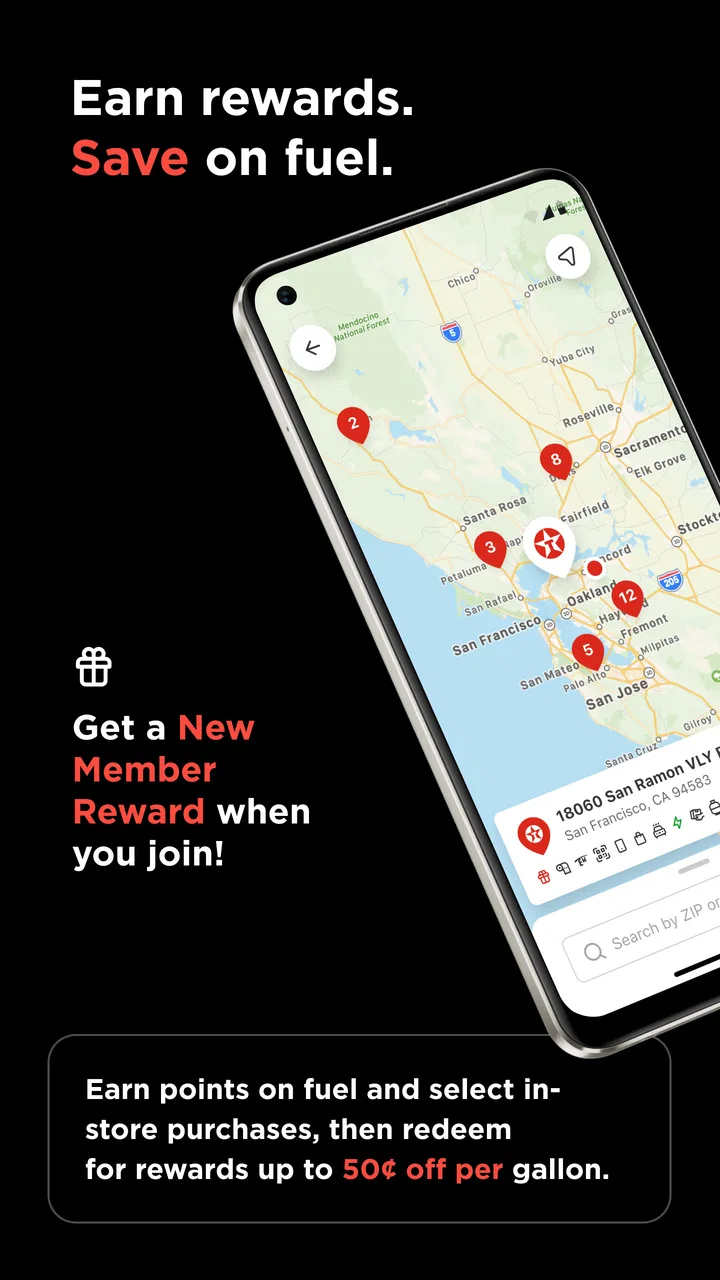
The Texaco app provides a range of features including easy access to locate nearby Texaco stations, a digital wallet for seamless payment options, real-time fuel price updates, and rewards for frequent purchases. Users can also view transaction history and receive notifications about special promotions and offers.
02Is the Texaco app available for both Android and iOS devices?
Yes, the Texaco app is available for download on both Android and iOS platforms. Users can find it on the Google Play Store for Android devices and the Apple App Store for iOS devices, ensuring broad accessibility for most smartphone users.
03How does the Texaco app's rewards program work?
The Texaco app rewards program allows users to earn points with each fuel purchase. Points can be accumulated and redeemed for discounts on future fuel purchases or in-store items. Users can track their points balance directly within the app and receive notifications about new reward opportunities.
04Are there any security features in the Texaco app to protect user data?
Yes, the Texaco app incorporates advanced security measures to protect user data. This includes encryption for personal and payment information, as well as secure login options such as biometric authentication. The app regularly updates to enhance security and protect against potential threats.
05What should users do if they encounter issues with the Texaco app?
If users experience any issues with the Texaco app, they can access the help section within the app for troubleshooting tips and FAQs. Additionally, they can contact customer support through the app or via the Texaco website for personalized assistance and to report any technical difficulties.
Pros
- User-friendly interface for easy navigation.
- Wide range of fuel options available.
- Loyalty rewards program for frequent users.
- Accurate location services for nearby stations.
- Fast and reliable payment processing.
Cons
- Limited support for older device models.
- Occasional bugs in app updates.
- Requires stable internet for full features.
- Some features locked behind registration.
- Certain regions have fewer participating stations.

Texaco
Gallery